Billing Account Management
Billing Account Management allows users and organizations to manage payment methods, share billing responsibilities, and control how billing accounts are used across projects within the Quapp platform.
This section explains how billing accounts work, how they can be shared, and how billing account states affect user permissions and platform functionality.
1. Billing Account Overview
A Billing Account represents the payment entity used to pay for paid services on Quapp, such as:
- Paid SDKs
- Paid devices and simulators
- Premium subscriptions
- Group projects
Each billing account may be:
- Owned by a user
- Shared with other users
- Assigned to one or more projects
- Set as a default billing account
The availability of features depends on the billing account state, which is determined by payment configuration and transaction history.
2. Billing Account List
The Billing Account List displays all billing accounts that you own or have access to.
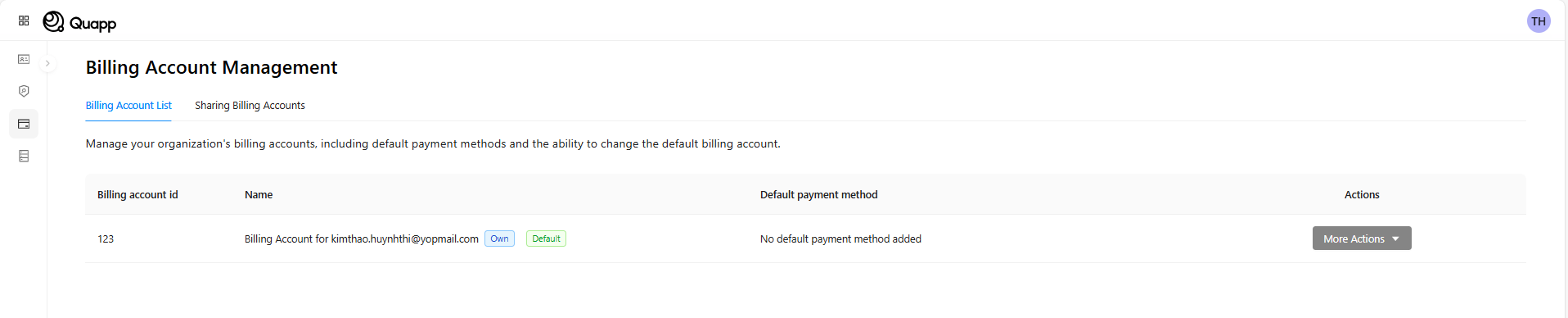
For each billing account, Quapp shows:
- Billing Account ID
- Billing Account Name
- Ownership status (Owner / Shared)
- Default payment method
- Default billing account indicator
- Available actions
Available Actions
Depending on your role and the billing account state, you may be able to:
- Set a billing account as your default billing account
- Share the billing account with other users
- Make the billing account the default for future project creation
The default billing account is automatically selected when creating a new project, unless another billing account is explicitly chosen.
3. Sharing Billing Accounts
Billing accounts can be shared with other users to allow collaborative usage and centralized payment management.
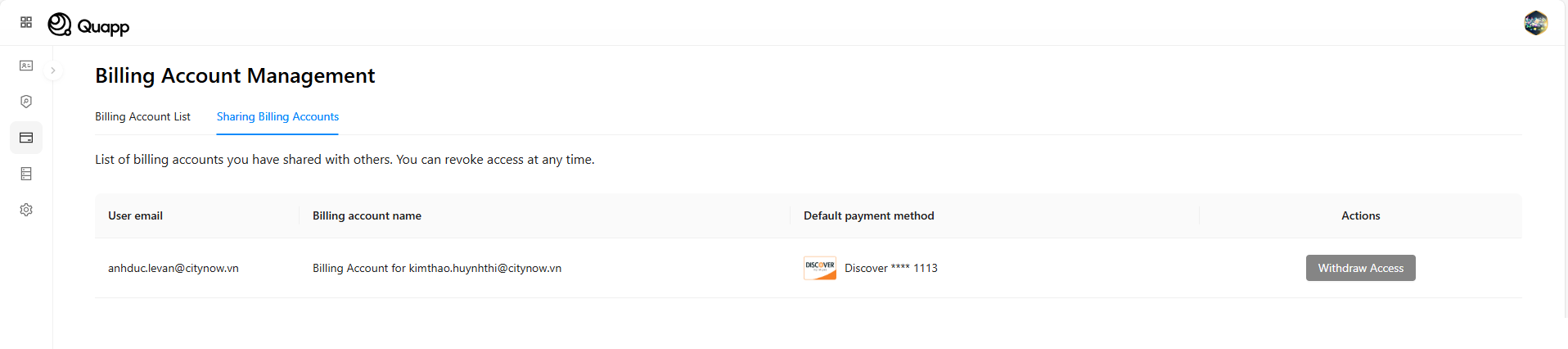
Shared Access Capabilities
When a billing account is shared:
- The recipient can use the billing account for eligible projects and paid services
- The recipient can set the shared billing account as their default billing account
- If set as default, the shared billing account will be used automatically when the recipient creates new projects
Access Control
- Only the billing account owner can share or revoke access
- Access can be withdrawn at any time
- Withdrawal takes effect immediately and cannot be undone
⚠️ Once access is withdrawn, the user will no longer be able to use the billing account for new projects or paid operations.
4. Billing Account States
Each billing account on Quapp operates under a specific billing account state, reflecting its payment readiness and transaction history.
| State | Description | Response Status |
|---|---|---|
| No Payment Method | The billing account exists but no default payment method is configured. | NO_PAYMENT_METHOD |
| Payment Method Added | A default payment method has been added, but no successful transaction has occurred yet. | PAYMENT_METHOD_ADDED |
| Active Billing Account | The billing account has a default payment method and at least one successful payment. | ACTIVE_BILLING_ACCOUNT |
| Payment Failed | The billing account previously had successful payments, but the most recent payment attempt failed. | PAYMENT_FAILED |
| Contract Bank Transfer | The billing account operates under a contract-based bank transfer model and does not require a default payment method. | CONTRACT_BANK_TRANSFER |
Billing account states are evaluated continuously and may change based on payment events.
5. Functional Permissions Based on User Billing Account State
The billing account state determines which user-level functionalities are available on the platform.
| User Functionality | No Payment Method | Payment Failed | Payment Method Added | Active Billing Account | Contract Bank Transfer |
|---|---|---|---|---|---|
| Create Project (Individual) | ✅ | ✅ | ✅ | ✅ | ✅ |
| Create Project (Group) | ❌ | ❌ | ❌ | ✅ | ✅ |
| Make Billing Account Default | ❌ | ✅ | ✅ | ✅ | ✅ |
| Share Billing Account | ❌ | ❌ | ❌ | ✅ | Not Supported |
| Purchase Premium for Others | ❌ | ❌ | ❌ | ✅ | Not Supported |
Legend ✅ Allowed ❌ Not Allowed
Important Notes
- Group projects require an Active Billing Account or Contract Bank Transfer.
- Sharing billing accounts is restricted to billing accounts with a successful payment history.
- Contract-based billing accounts are managed under enterprise agreements and do not support sharing or premium gifting.
6. Key Rules and Behaviors
- A user may own or access multiple billing accounts, but only one can be set as default at a time.
- The default billing account is automatically applied when creating new projects.
- Shared users may select a shared billing account as their default billing account.
- Changes to billing account state may immediately affect feature availability.
- Free services and quota updates are not restricted by billing account state.
7. Operational Considerations
- Billing accounts in Payment Failed state may trigger warnings or limited functionality.
- Projects already using a billing account are not automatically deleted if payment issues occur, but paid executions may be blocked.
- Quapp may introduce alerts or grace periods for temporary payment failures in future releases.