Quapp Tutorial
How to enable the guide
The user guide is automatically enabled for new users when they log in to the platform for the first time.
For users who have logged in previously, the user guide can be enabled manually as described below.
Accessing the User Guide
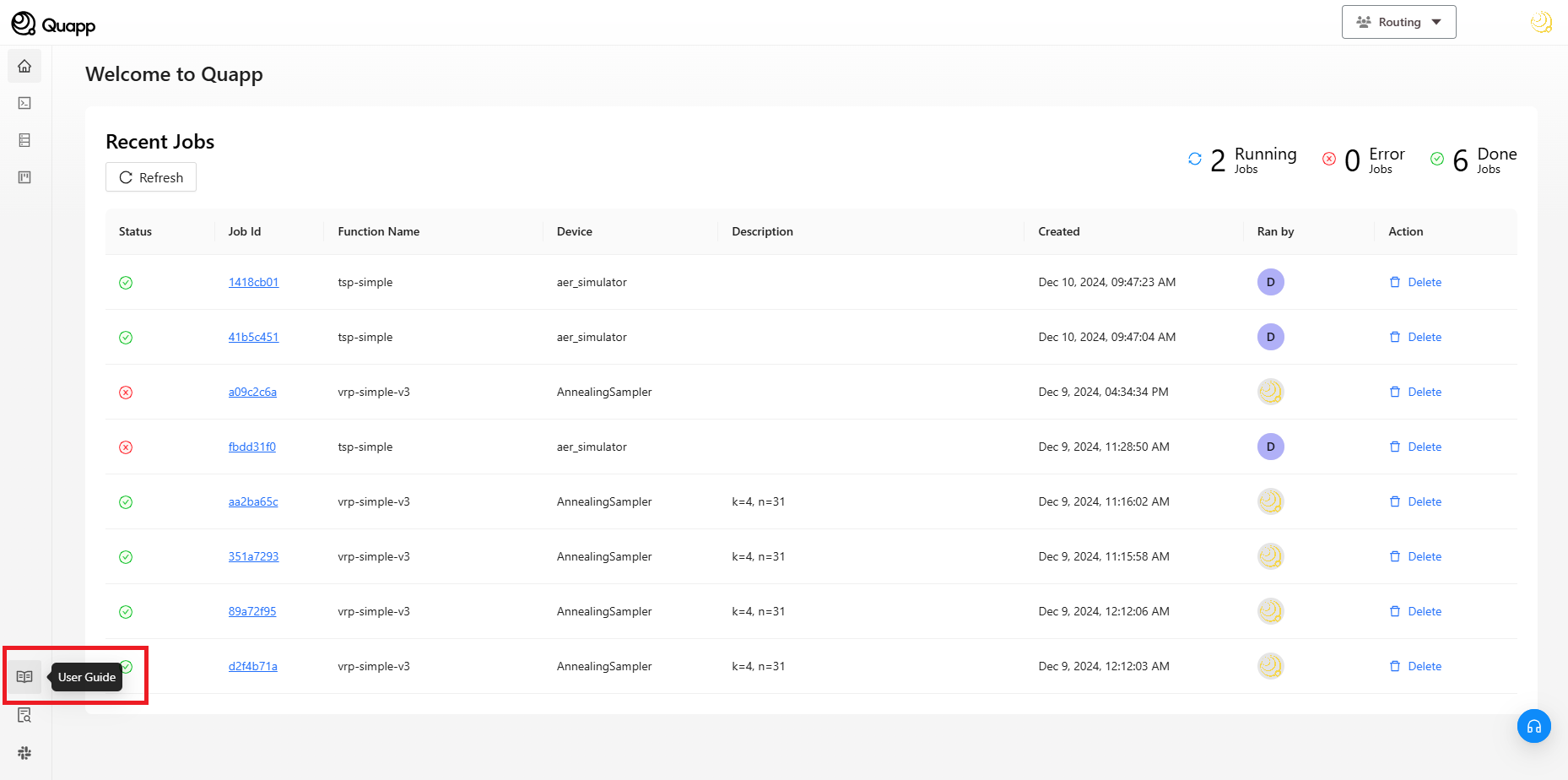
Open the sidebar navigation.
At the bottom-left corner of the screen, select User Guide.
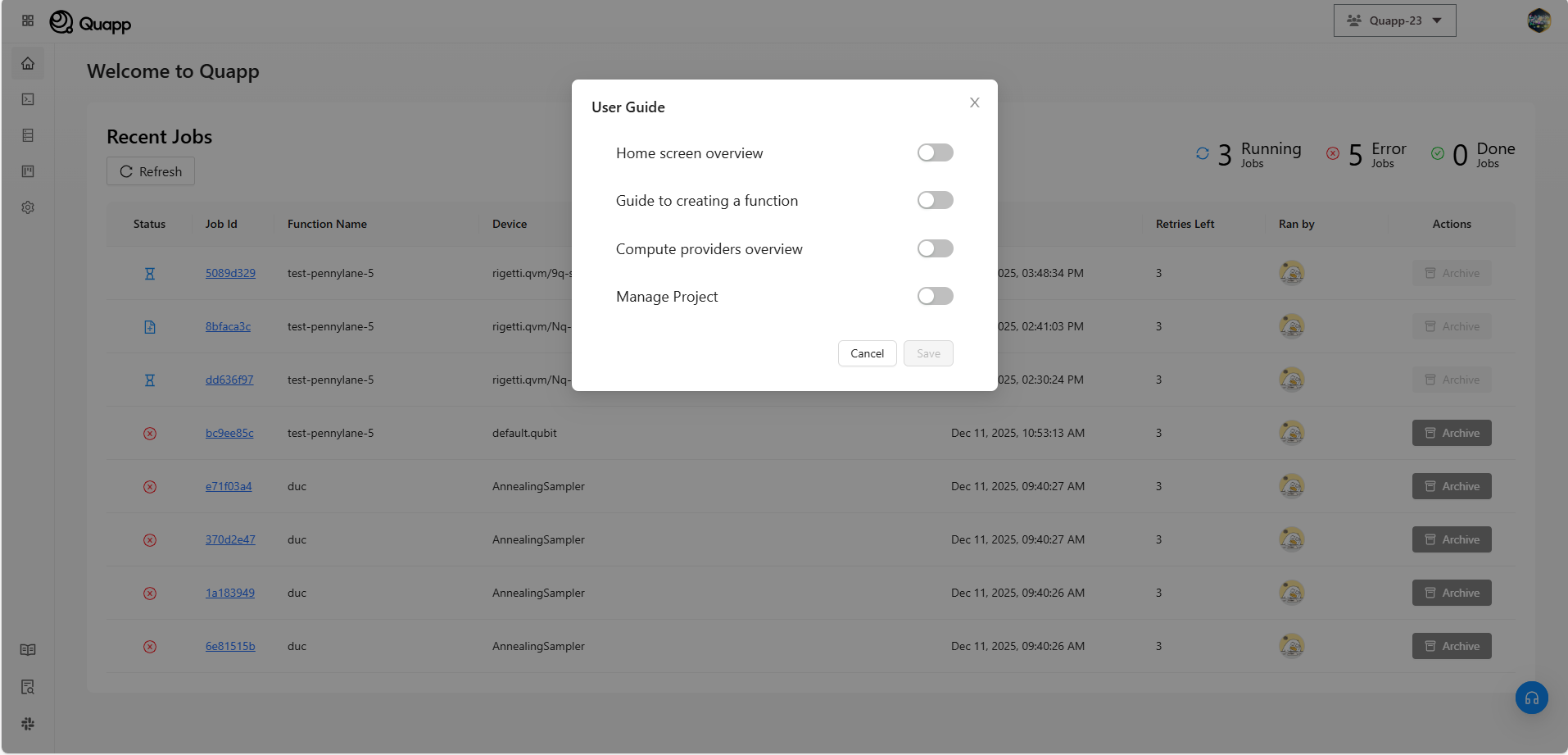
This opens the User Guide panel, where available guides are listed.
Enabling a User Guide
From the User Guide panel, select the guide you want to enable.
Once selected, the guide will start immediately and display contextual instructions directly within the interface.
What the User Guide Includes
The User Guide provides an overview of key platform features, including:
- Home Screen Overview Introduction to the main interface, navigation, and core areas of the platform.
- Creating a Function Overview of the function creation process and basic configuration.
- Compute Providers Overview Introduction to available compute providers, including built-in simulators and external quantum computing services, as well as supported open-source tools.
- Project Management Overview of creating and managing projects, and understanding access permissions.
Notes
- The User Guide can be enabled or disabled at any time from the sidebar.
- Multiple guides may be available depending on your role and platform configuration.
- Progress within a guide is saved automatically.