プロジェクトクォータ
概要
プロジェクトクォータページでは、プロジェクト管理者が Quapp におけるプロジェクトのリソース制限を監視および管理できます。
本ページから、プロジェクト管理者は以下の操作を行うことができます。
- 現在のクォータ上限および使用状況を確認します。
- クォータに更新申請が保留中かどうかを確認します。
- 編集可能なクォータの変更申請を提出します。
- 以前に提出されたクォータ更新申請を確認します。
注記:クォータ更新申請の承認および処理はシステム管理者が行います。詳細は別途ドキュメントを参照してください。
プロジェクトクォータへのアクセス方法
以下の手順でアクセスしてください。
プロジェクト設定 → プロジェクトクォータ
本ページにアクセスするには、プロジェクト管理者権限が必要です。
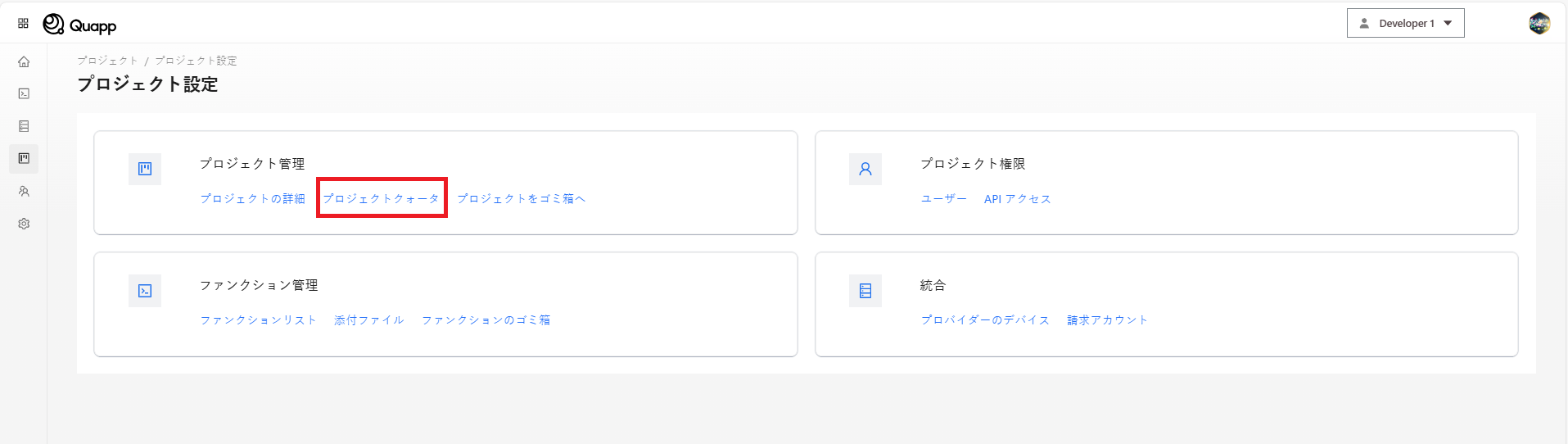
プロジェクトクォータの表示
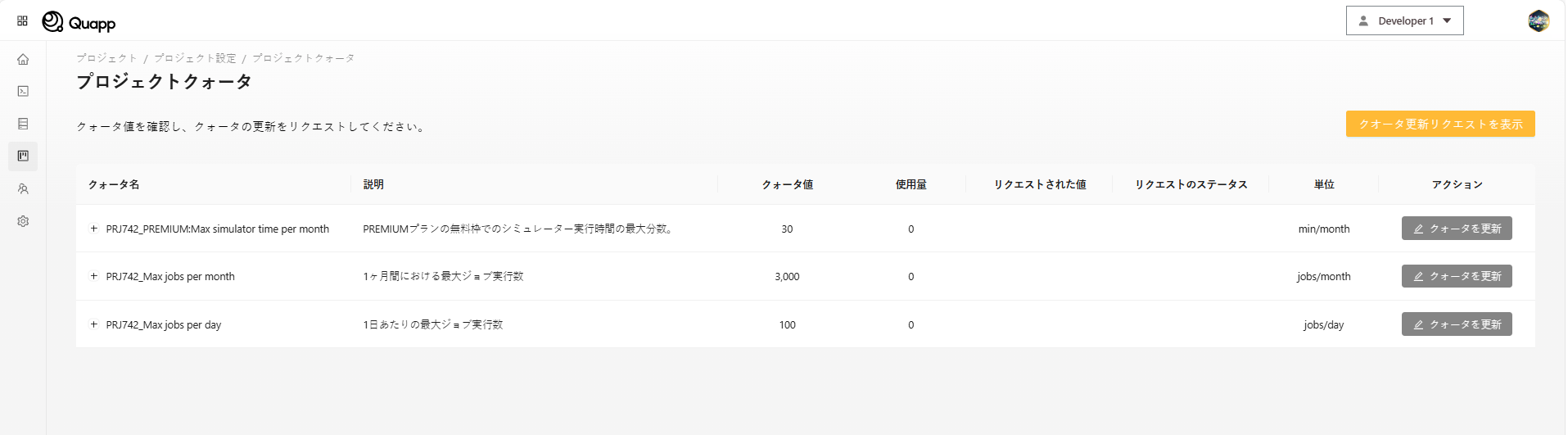
プロジェクトクォータページには、選択されたプロジェクトに設定されているすべてのクォータが表示されます。
各クォータについて、以下の情報が表示されます。
| フィールド名 | 説明 |
|---|---|
| クォータ名(Quota Name) | クォータの名称 |
| 説明(Description) | クォータで制御される内容 |
| クォータ値(Quota Value) | 現在有効なクォータの上限値 |
| 使用量(Usage) | すでに使用されているクォータ量 |
| 申請値(Request Value) | 最新の変更申請における設定値(申請がある場合) |
| 単位(Unit) | 計測単位 |
| ステータス(Status) | 最新の申請のステータス(読み取り専用) |
クォータが更新に対応している場合、クォータ更新ボタンが表示されます。
クォータ更新の申請
クォータが変更可能な場合、プロジェクト管理者はクォータの変更を申請できます。
申請方法
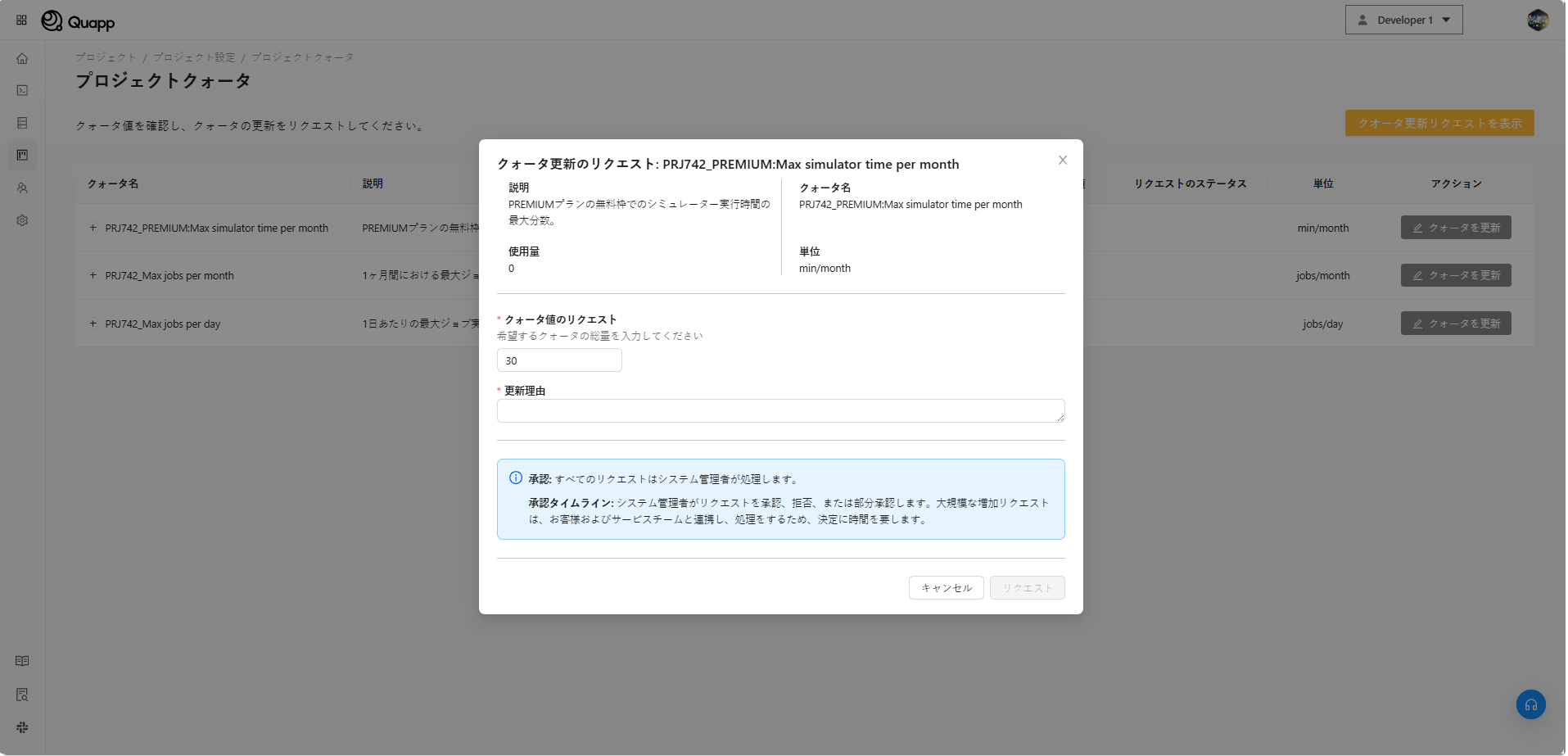
- プロジェクトクォータページで、更新したいクォータを探します。
- 「クォータ更新」をクリックします。
- クォータ更新申請用のモーダルダイアログが表示されます。
申請フォームの項目
| フィールド | 説明 |
|---|---|
| 現在の使用量(Current Usage) | 現在のクォータ使用量を表示します(読み取り専用) |
| 申請値(Requested Value) | 設定したい新しいクォータ値 |
| 理由(Reason) | クォータ変更を申請する理由 |
入力チェックルール
申請値は、以下の条件をすべて満たす必要があります。
- 正の整数であること
- 現在のクォータ値と異なること
- システムで許可されている範囲内であること
いずれかの入力が無効な場合、該当フィールドの下にエラーメッセージが表示されます。
申請の送信
フォームの入力が完了したら、以下の操作を行います。
- 「送信」をクリックします。
- 申請内容がシステムに保存されます。
- 申請は即時に申請一覧に表示されます。
申請が送信された後、プロジェクト管理者は申請内容の 編集または削除を行うことはできません。
クォータ更新申請の確認
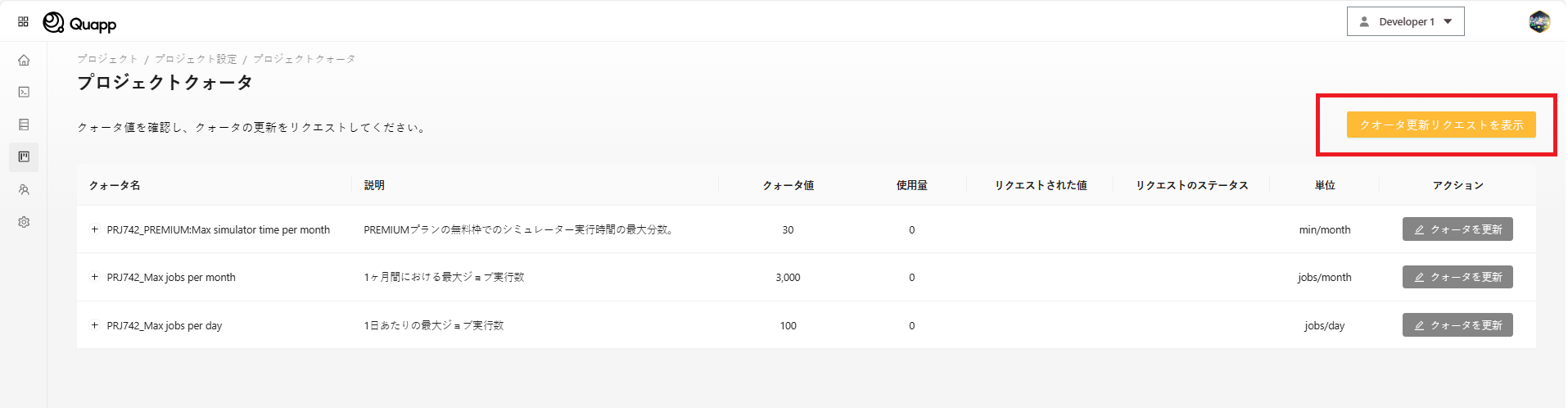
プロジェクトに対するすべてのクォータ更新申請を確認するには、以下の操作を行います。
- 「クォータ更新申請一覧を表示」をクリックします。
- 提出されたすべての申請の一覧が表示されます。
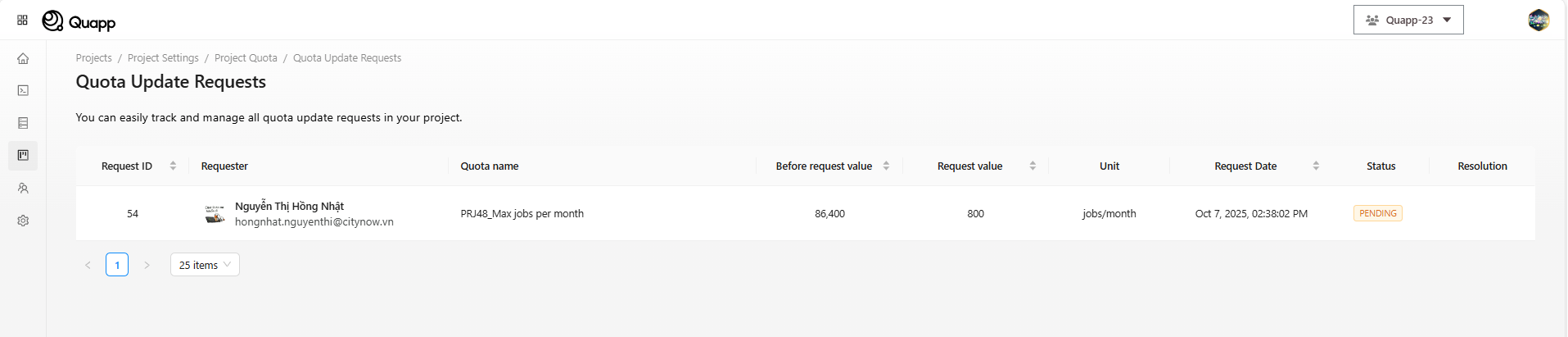
申請一覧の表示項目:
| フィールド | 説明 |
|---|---|
| 申請ID(Request ID) | 申請を一意に識別するID |
| 申請者(Requester) | 申請を提出したユーザー |
| クォータ名(Quota Name) | 申請対象のクォータ |
| 変更前の値(Before Value) | 申請前のクォータ値 |
| 申請値(Request Value) | 申請されたクォータ値 |
| 単位(Unit) | 計測単位 |
| 申請日(Request Date) | 申請が提出された日付 |
| ステータス(Status) | 現在の申請ステータス(読み取り専用) |
申請件数が多い場合、ページネーションが表示されます。
注意事項および制限
- プロジェクトクォータを閲覧および管理できるのはプロジェクト管理者のみです。
- クォータ更新申請は、送信後は読み取り専用となります。
- ステータスの更新は、システム管理者によるレビュー結果に依存します。
関連ページ
- プロジェクト設定
- ユーザー管理
- 請求およびサブスクリプション(該当する場合)