Manage Project
Project Details
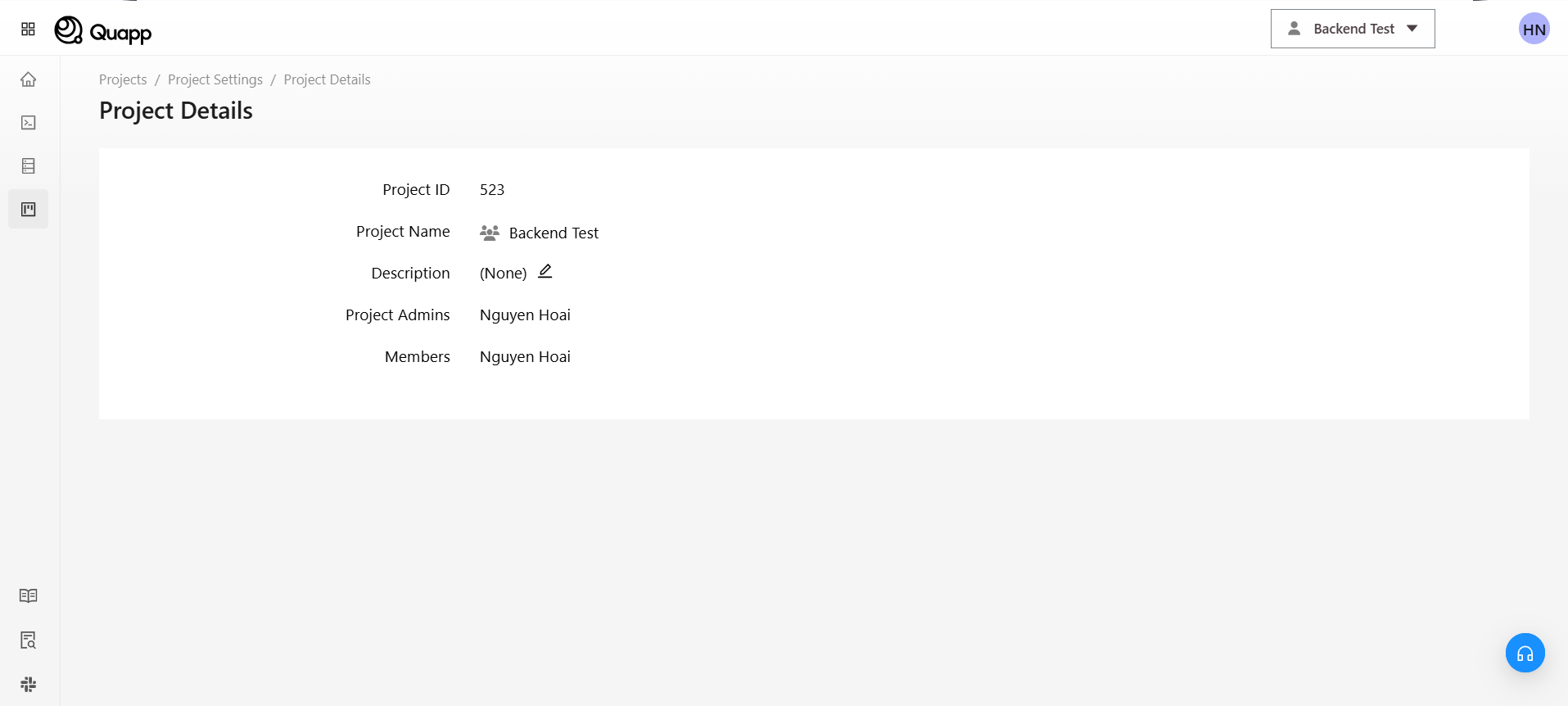
1. Project Name
This is the name of the project. It may be a code name or an identifier for the project.
2. Description
The description section simply repeats the project name. It might be better to provide a more detailed explanation to clarify the project's goals or scope.
3. Admin
The admin is responsible for managing the project, members, and settings.
4. Member
Members participate in assigned tasks, perform specific work, and communicate with the administrator.
Project Quota
The Project Quota feature allows users to:
・View current quota limits for their project
・Monitor usage
・Request quota increases when needed
This helps ensure your project runs smoothly without hitting usage limits.
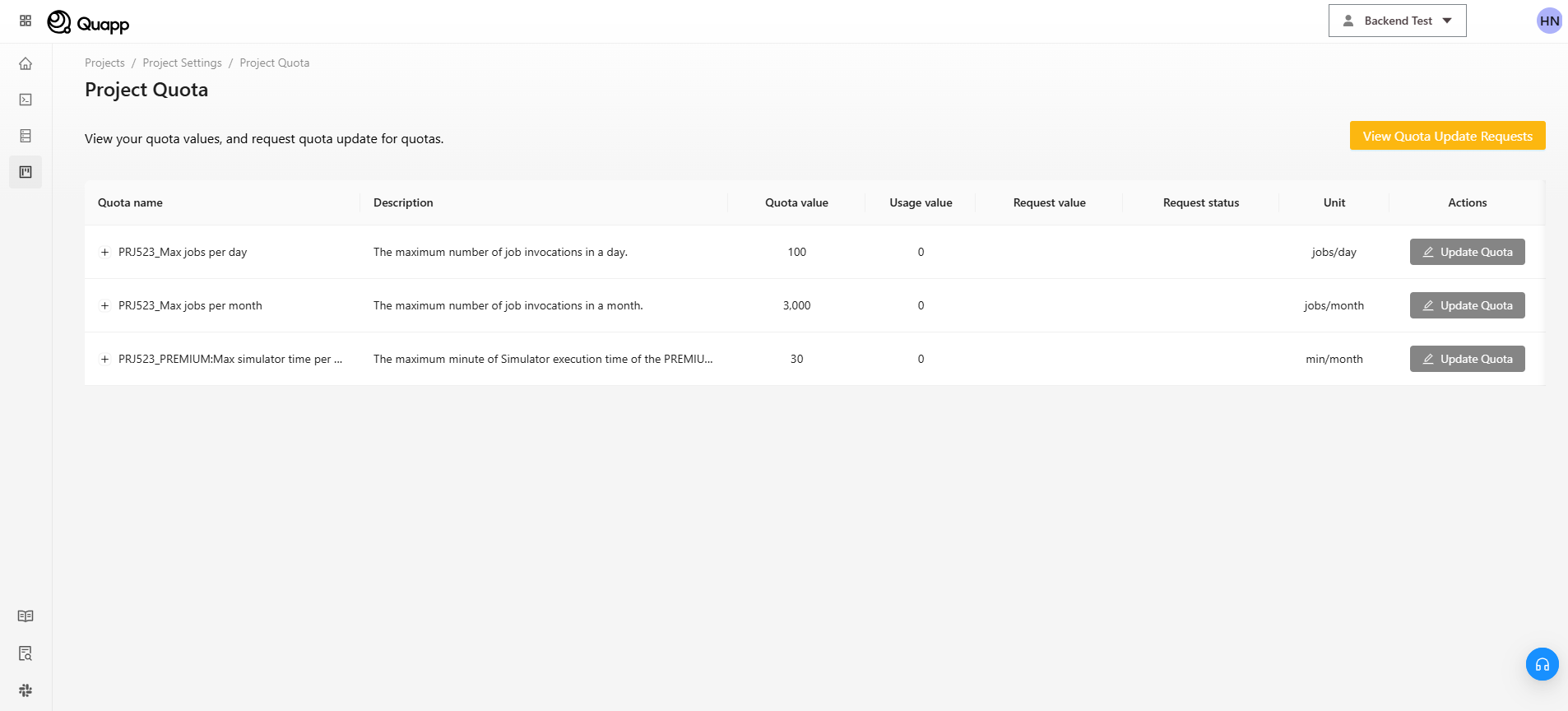
- Quota name: Type of resource (e.g., jobs per day, jobs per month)
- Description: Explanation of the quota
- Quota value: Maximum allowed limit
- Usage value: Current usage
- Unit: Measurement unit (e.g., jobs/day, min/month)
If you need a higher limit, you can submit a request:
Step 1: Open Request Form
Click “Update Quota” next to the quota you want to increase.
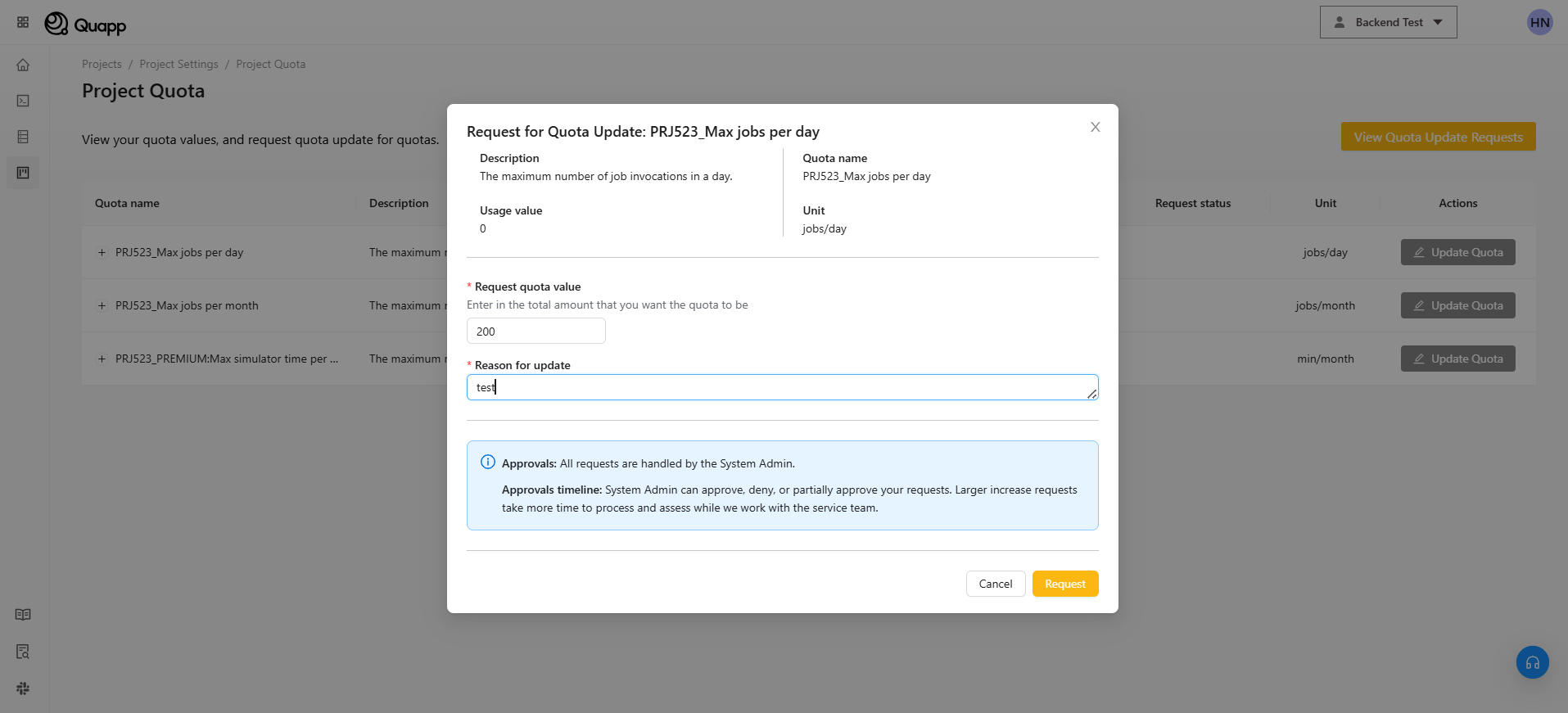
Step 2: Enter Request Details
A popup will appear. Fill in the following:
・Request quota value
→ Enter the new limit you want
・Reason for update
→ Provide a clear reason (e.g., increased workload, testing needs)
Step 3: Submit Request
Click “Request” to submit Or click “Cancel” to discard
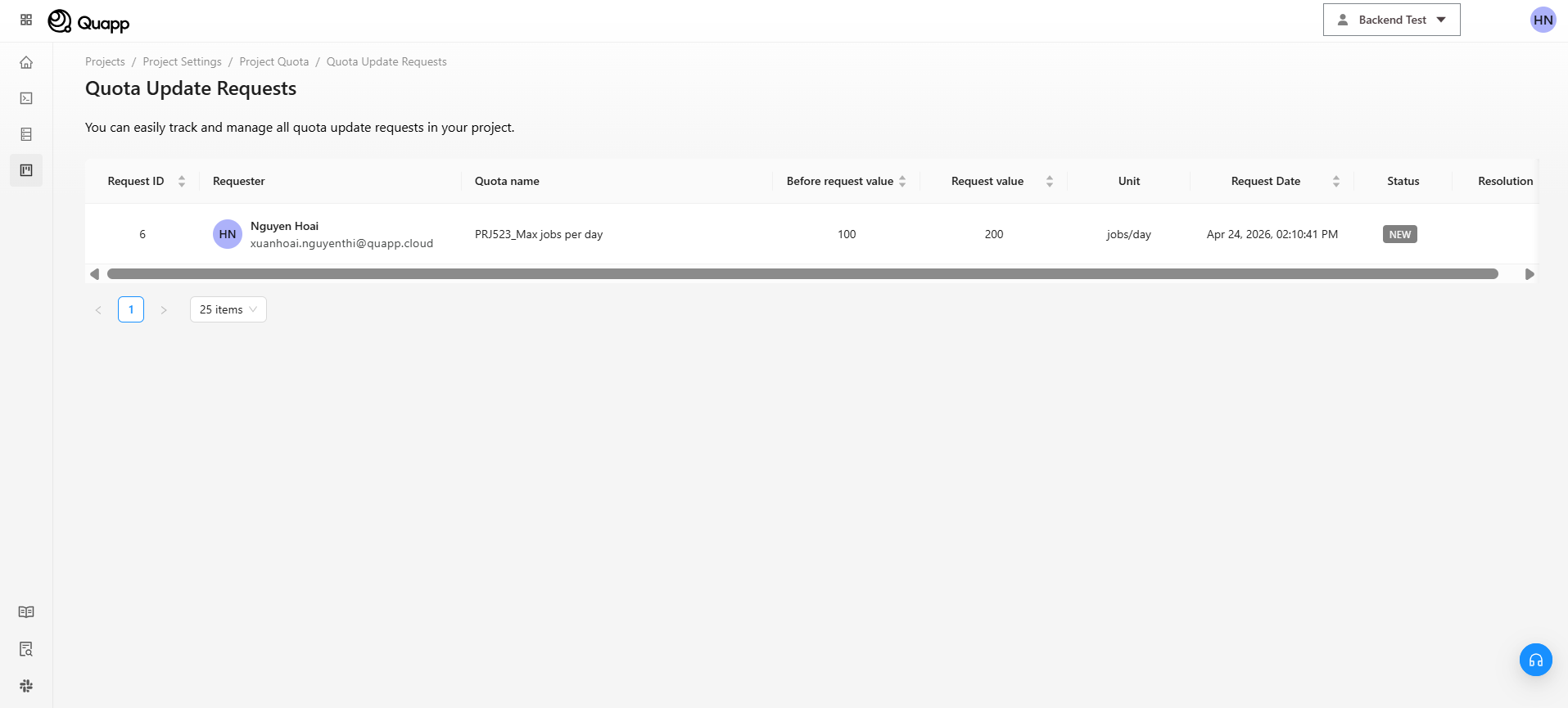
To track your requests:
Click “View Quota Update Requests”
You will see a list with:
・Request ID
・Requester
・Quota name
・Before / Requested value
・Status (e.g., NEW, Approved)
・Request date
This helps you monitor progress and status of your requests.
📌 Note on Approval
・All requests are reviewed by the System Admin.
・Requests may be: Fully approved, Rejected
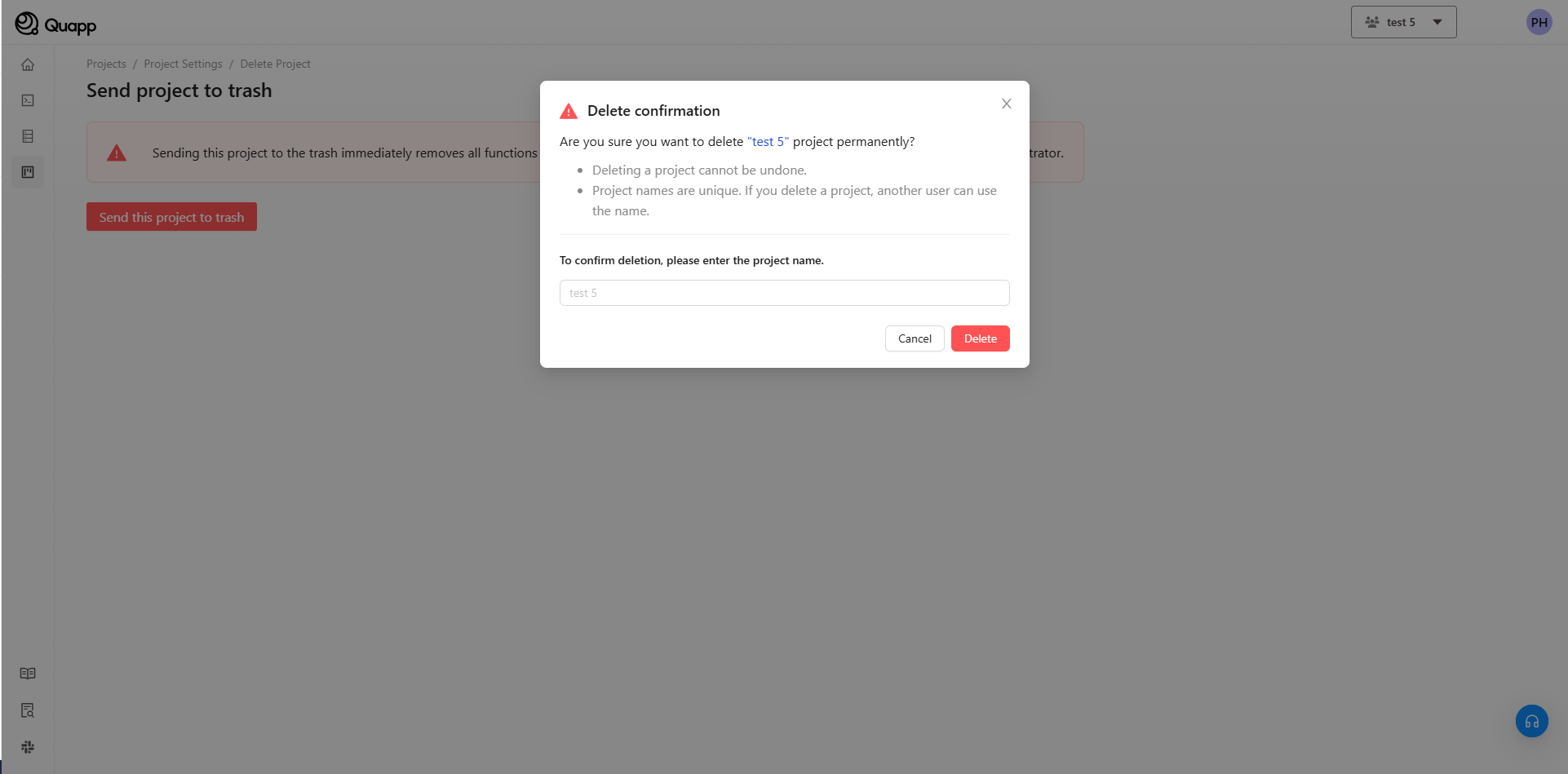
Send project to trash
When a user sends a project to the trash, it is typically a soft delete action, meaning the project is not permanently deleted but moved to a "trash" or "recycle bin" where it can be restored or permanently deleted later.