Project Quota
Overview
The Project Quota page allows Project Admins to monitor and manage resource limits for a project in Quapp.
From this page, Project Admins can:
- View current quota limits and usage
- Check whether a quota has a pending update request
- Submit a request to change an editable quota
- Review previously submitted quota update requests
Note: Approval and processing of quota update requests are handled by System Admins and are documented separately.
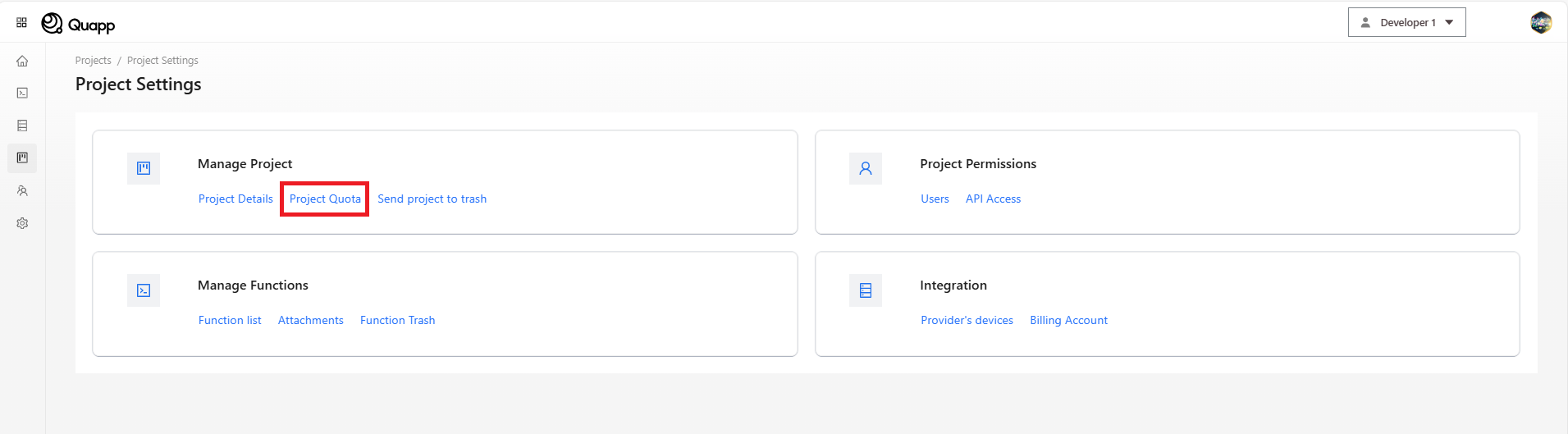
Accessing Project Quota
Navigate to:
Project Settings → Project Quota
You must be a Project Admin to access this page.
Viewing Project Quotas
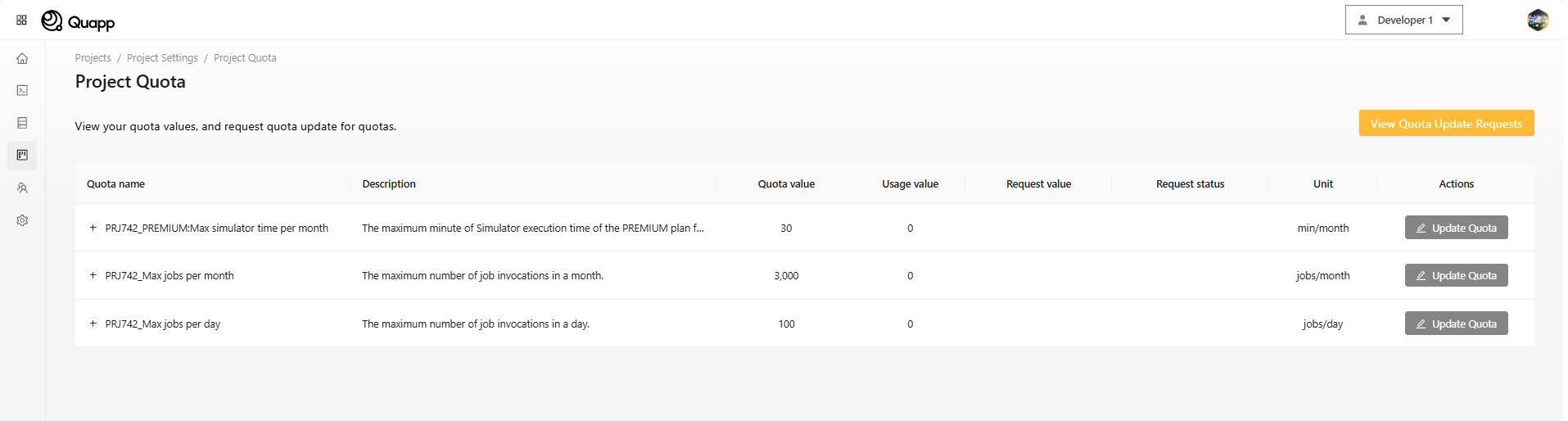
The Project Quota page displays all quotas configured for the selected project.
For each quota, the following information is shown:
| Field | Description |
|---|---|
| Quota Name | Name of the quota |
| Description | What the quota controls |
| Quota Value | Current active quota limit |
| Usage | Amount of the quota already used |
| Request Value | Value from the most recent request (if any) |
| Unit | Unit of measurement |
| Status | Status of the latest request (read-only) |
If a quota supports updates, an Update Quota button is displayed.
Requesting a Quota Update
If a quota can be modified, Project Admins may request a quota change.
How to submit a request
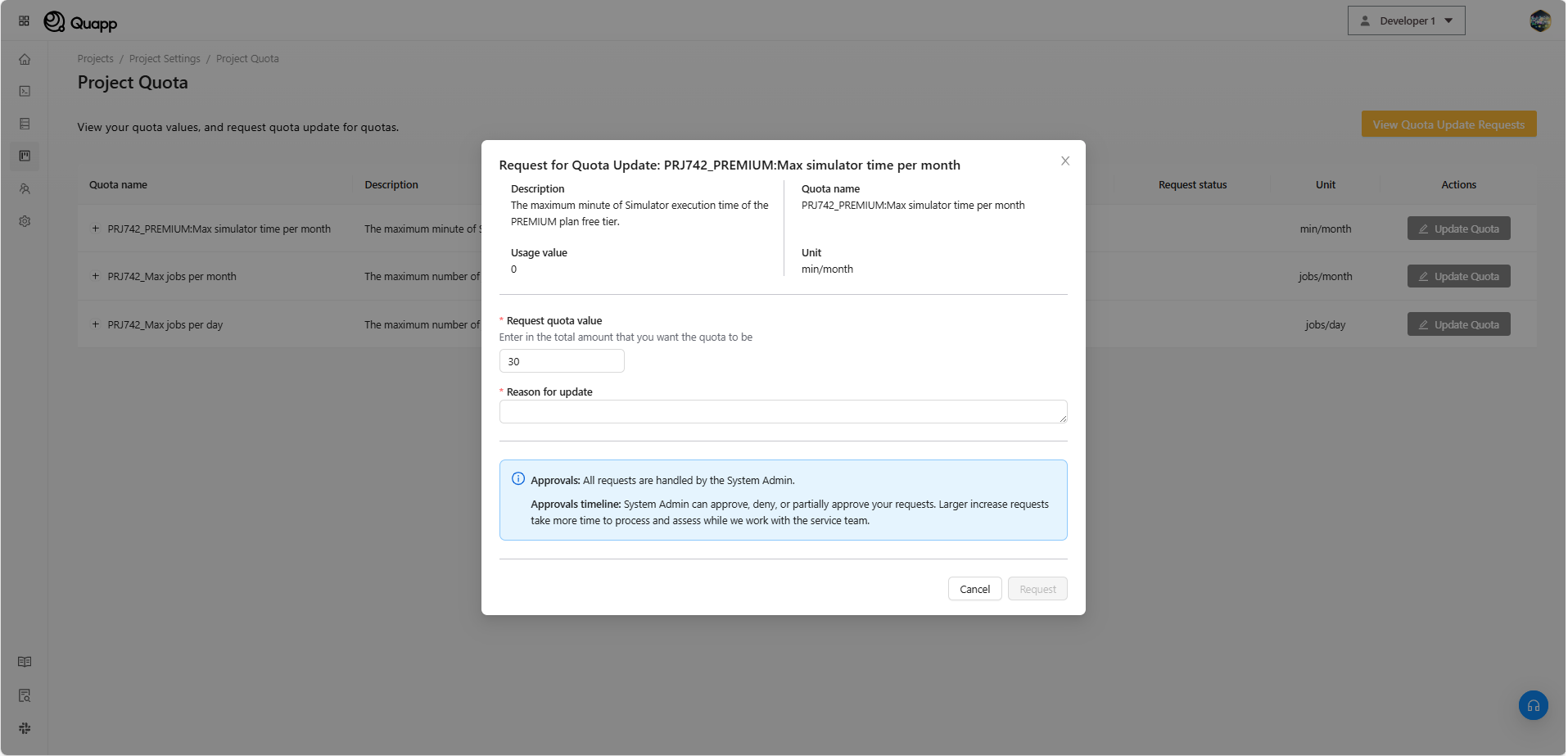
- On the Project Quota page, locate the quota you want to update
- Click Update Quota
- A request modal opens
Request Form Fields
| Field | Description |
|---|---|
| Current Usage | Displays current quota usage (read-only) |
| Requested Value | The new quota value you want |
| Reason | Explanation for requesting the change |
Validation rules
The requested value must:
- Be a positive integer
- Be different from the current quota value
- Fall within the allowed system range
If any input is invalid, an error message is shown below the field.
Submitting the Request
After completing the form:
- Click Submit
- The request is saved in the system
- The request appears immediately in the request list
Once submitted, requests cannot be edited or deleted by Project Admins.
Viewing Quota Update Requests
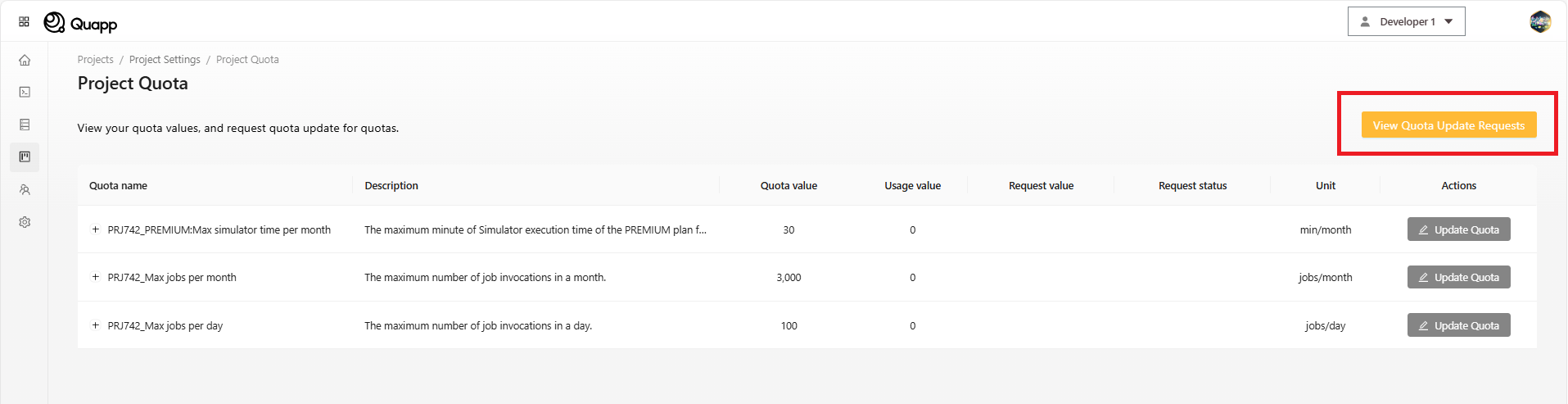
To review all quota update requests for the project:
- Click View Quota Update Requests
- A list of all submitted requests is displayed
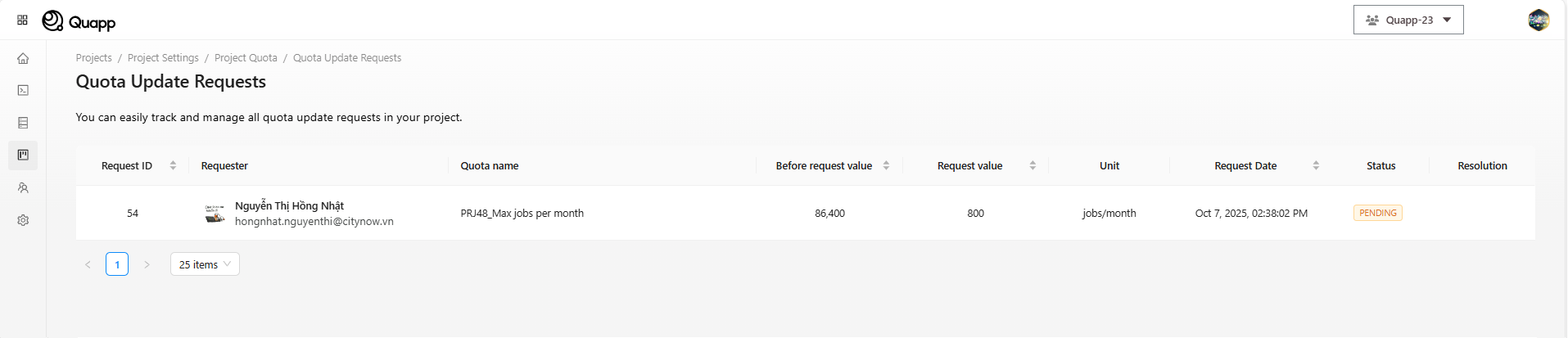
Each request includes:
| Field | Description |
|---|---|
| Request ID | Unique identifier |
| Requester | User who submitted the request |
| Quota Name | Quota being requested |
| Before Value | Quota value before the request |
| Request Value | Requested quota value |
| Unit | Unit of measurement |
| Request Date | Date the request was submitted |
| Status | Current request status (read-only) |
If the list is long, pagination is provided.
Notes and Limitations
- Only Project Admins can view and manage project quotas
- Quota update requests are read-only after submission
- Status updates depend on System Admin review
Related Pages
- Project Settings
- User Management
- Billing and Subscription (if applicable)