Job Invocation
Only functions with the Ready status can be invoked.
Invoking a function executes one specific version of it, with a given input, on a provider and device you select. Each invocation runs exactly once and creates exactly one job.
Before you can invoke
- The function status is Ready.
- At least one version has been deployed successfully. See Create Function.
- The provider and device you want are available. See Provider's Devices.
Selecting a Function
From the Functions page, select the function you want to invoke.
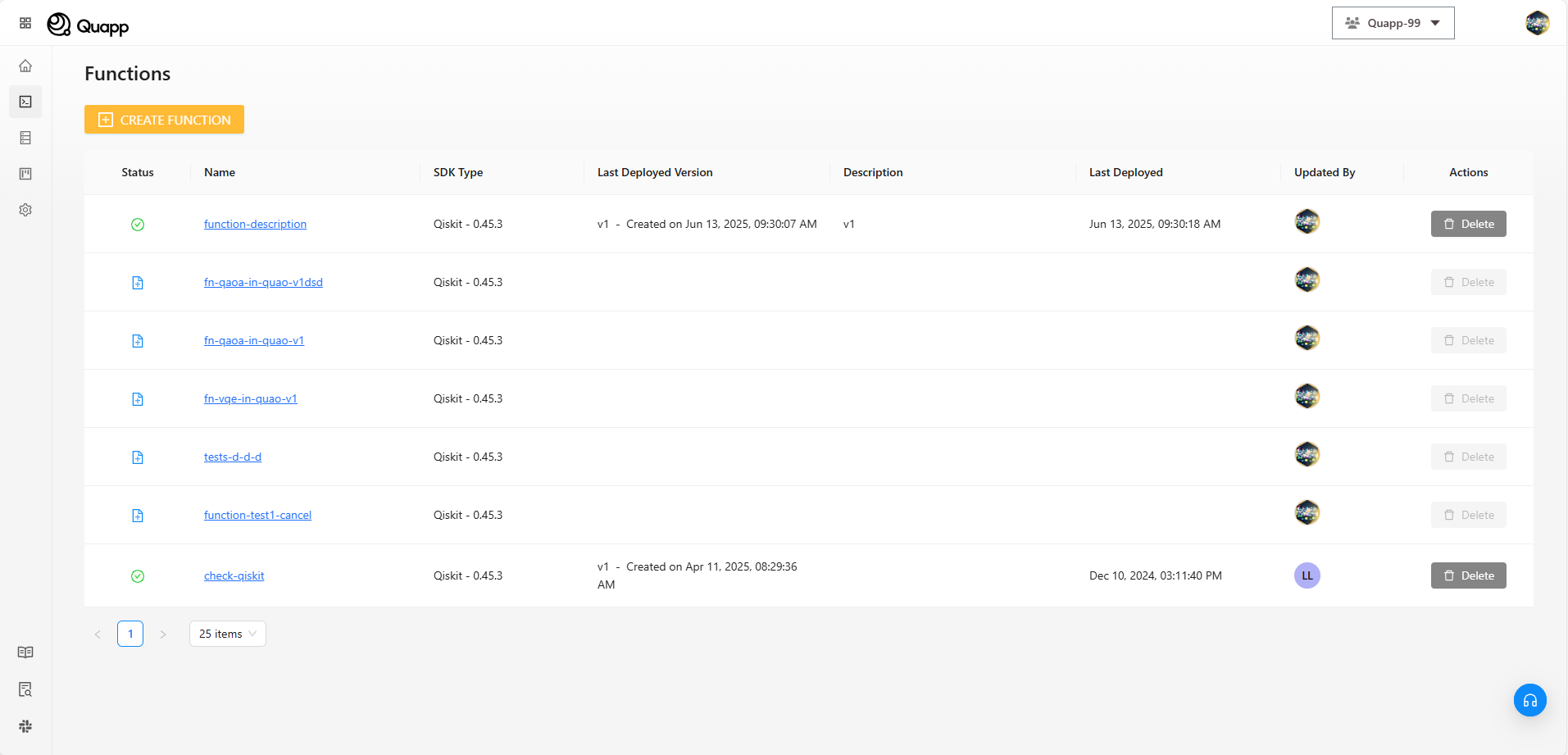
The function details view opens, displaying the Invocation section.
Invocation Configuration
In the Invocation section, provide the required execution information.
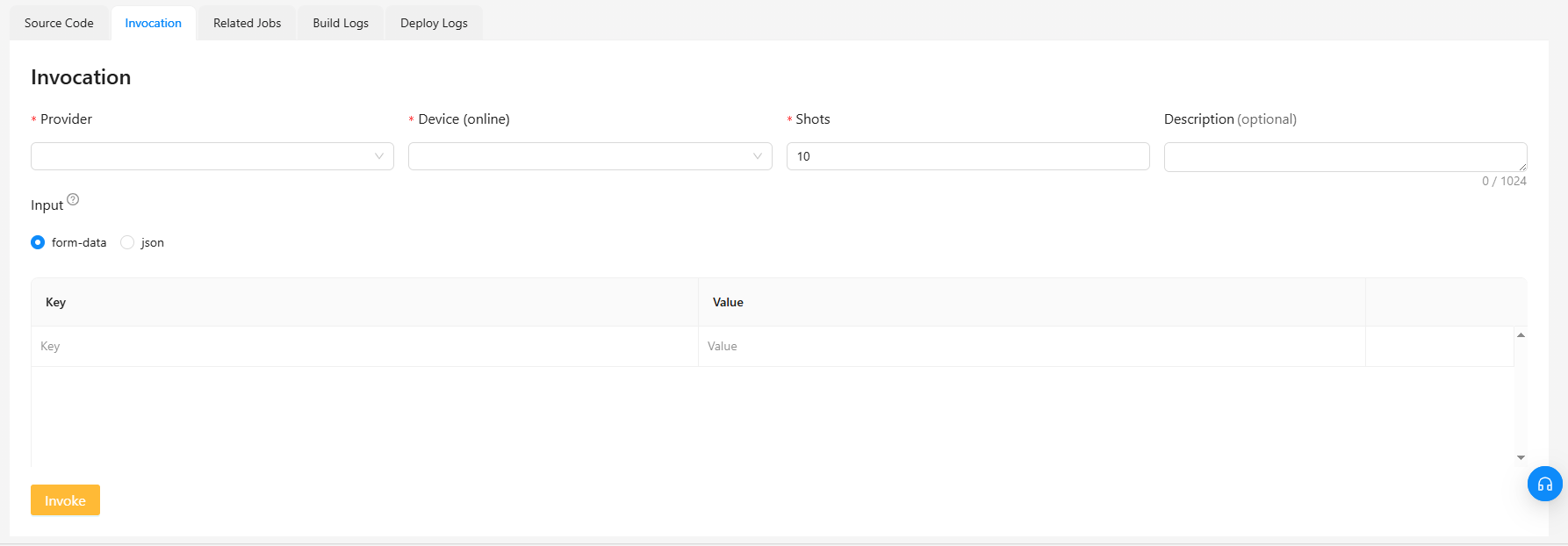
1. Provider:
Select a compute provider to execute the function. The available providers depend on the SDK used to create the function.
Example:
- Qiskit → IBM Quantum and Quapp
- Braket → Quapp and Amazon Braket
2. Device:
Displays all devices provided by the provider you previously selected
Including hardware and simulator. Based on the name to distinguish. For simulators there will be “simulator“ in the device's name
3. Shots: the number of times that quantum circuit is run
- Default is 10
- Only integers can be entered
4. Input:
Select "form-data":
- key: field name
- value: the value of the field
Select "raw": Input can be input as JSON, String, or Integer depend on how you define it in function.
Whichever mode you use, the payload is passed straight to the function's entry point as invocation_input:
processing(invocation_input)
So the input format has to match the way your code reads invocation_input. For the entry-point contract, see Create function (Code-level).

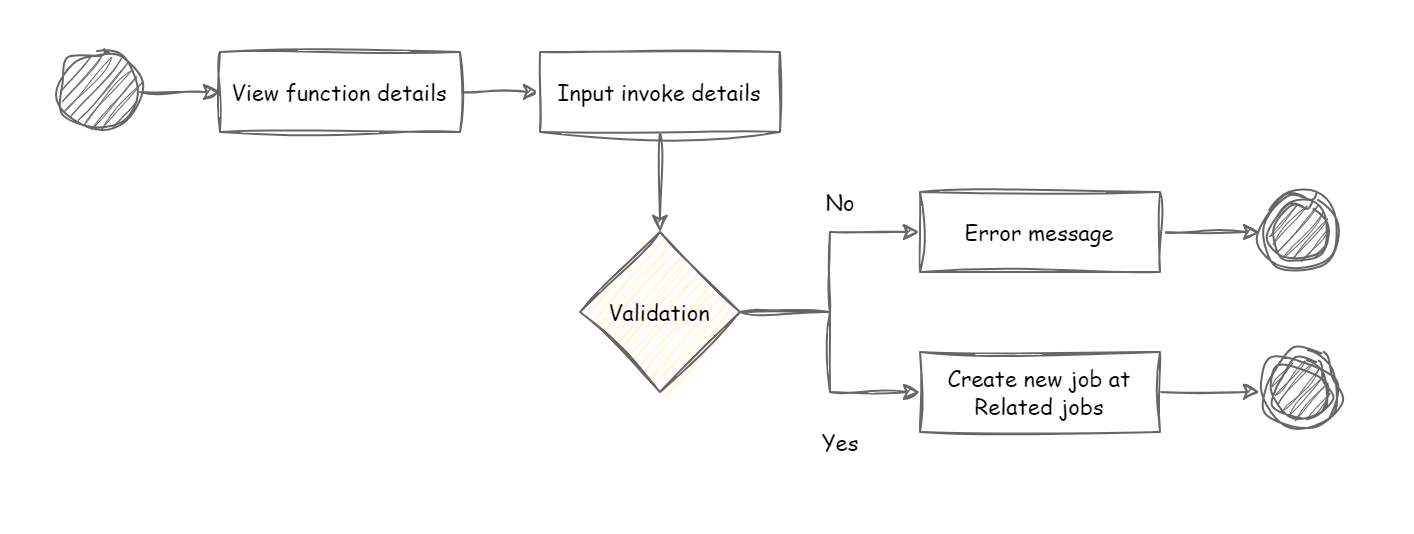
Invoking the Function
After completing the invocation configuration, select Invoke.
The system creates a new job for the invocation.
Before the job is created the configuration is validated. Once the backend returns, the result is passed through the function's post_processing() so that what you see is the final invocation result rather than the raw backend output.
The newly created job appears at the top of the Related Jobs table, where its status and execution details can be monitored.
Notes
- Each invocation creates a single job.
- Job execution status can be tracked from the Related Jobs section.
- Ensure the selected provider and device are available before invoking.
- Each invocation runs a single function version — check which version is deployed before comparing results.
- Use a small shot count while developing. Higher shot counts improve statistical accuracy but cost more and take longer.
- For what happens to the job afterwards, see Job Queue and Managing and Tracking Job Results.