Create Project
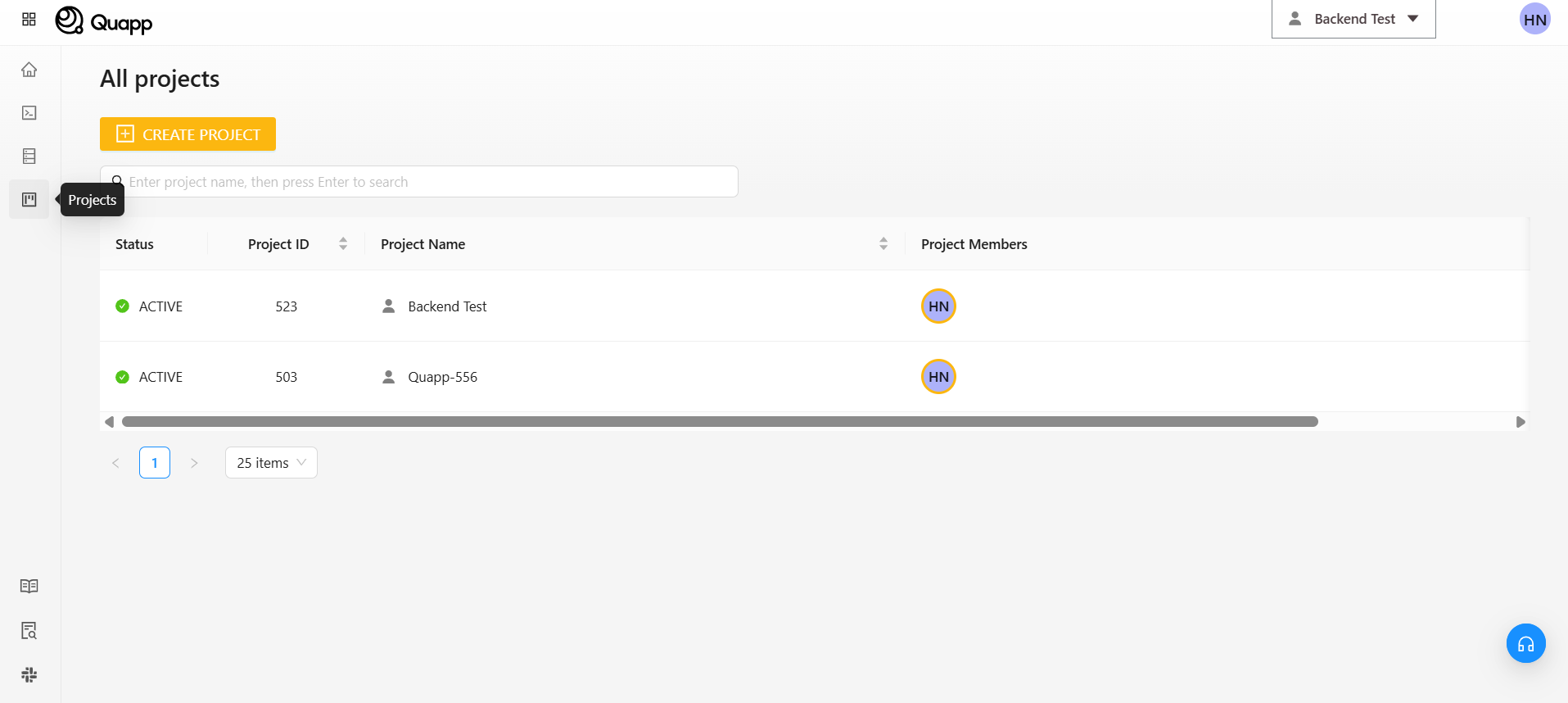
1. Access the Project Creation Screen
Click “Project” on the left sidebar, then select “Create Project.”
2. Enter Project Information
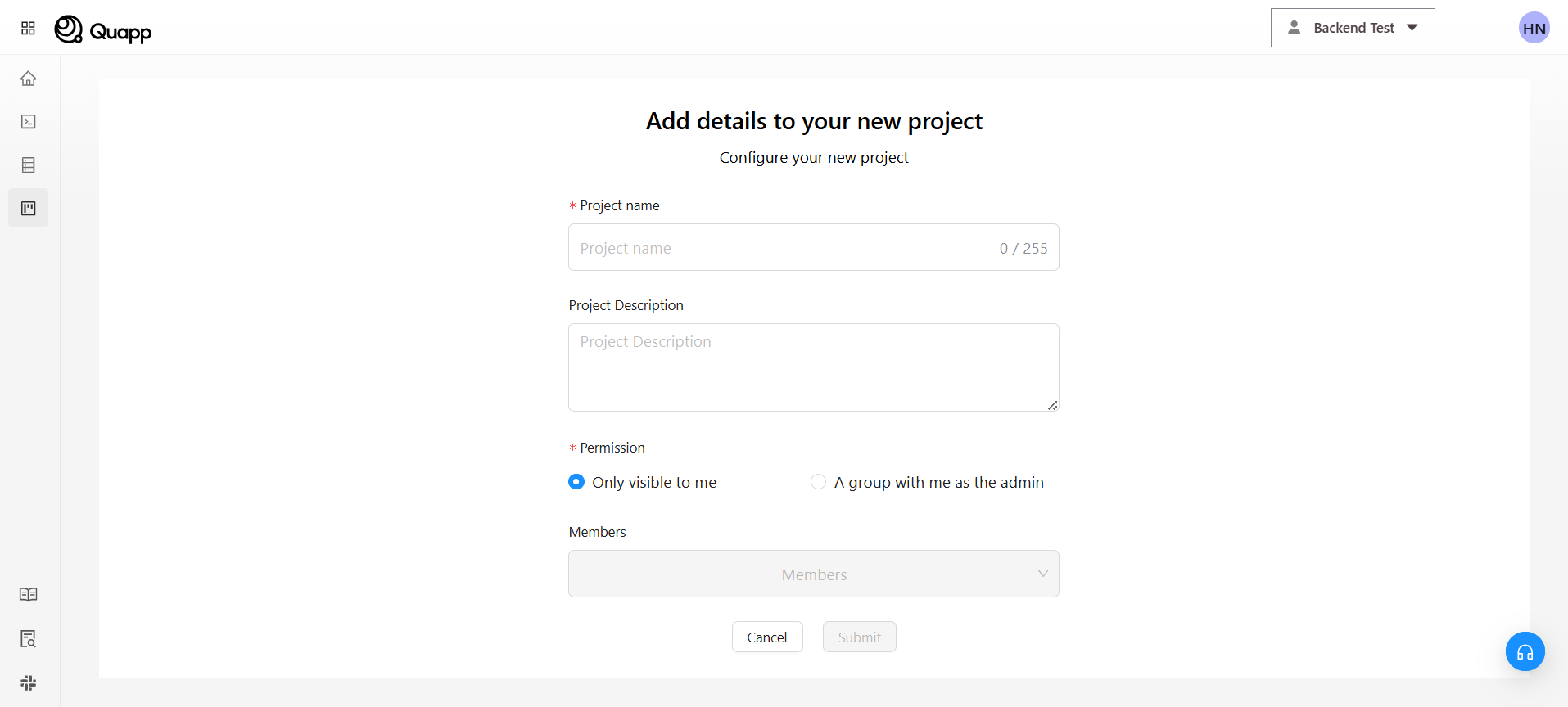
On the project creation screen, enter the following information:
・Project Name (required)
・Project Description (optional)
3. Select Usage Type
Choose how the project will be used:
■ For personal use
・Select “Private (Only me)”
・No other members will be added
■ For group use
・Select “Group”
・You need to add members
4. Add Members (For Group Use)
・Select members from the list.
・If a user is not listed, enter their registered email address in Quapp directly.
5. Create Project
・After completing all required fields, click “Submit” to finalize the project.
・The created project will appear in the project list.
・Click “Cancel” to discard changes.
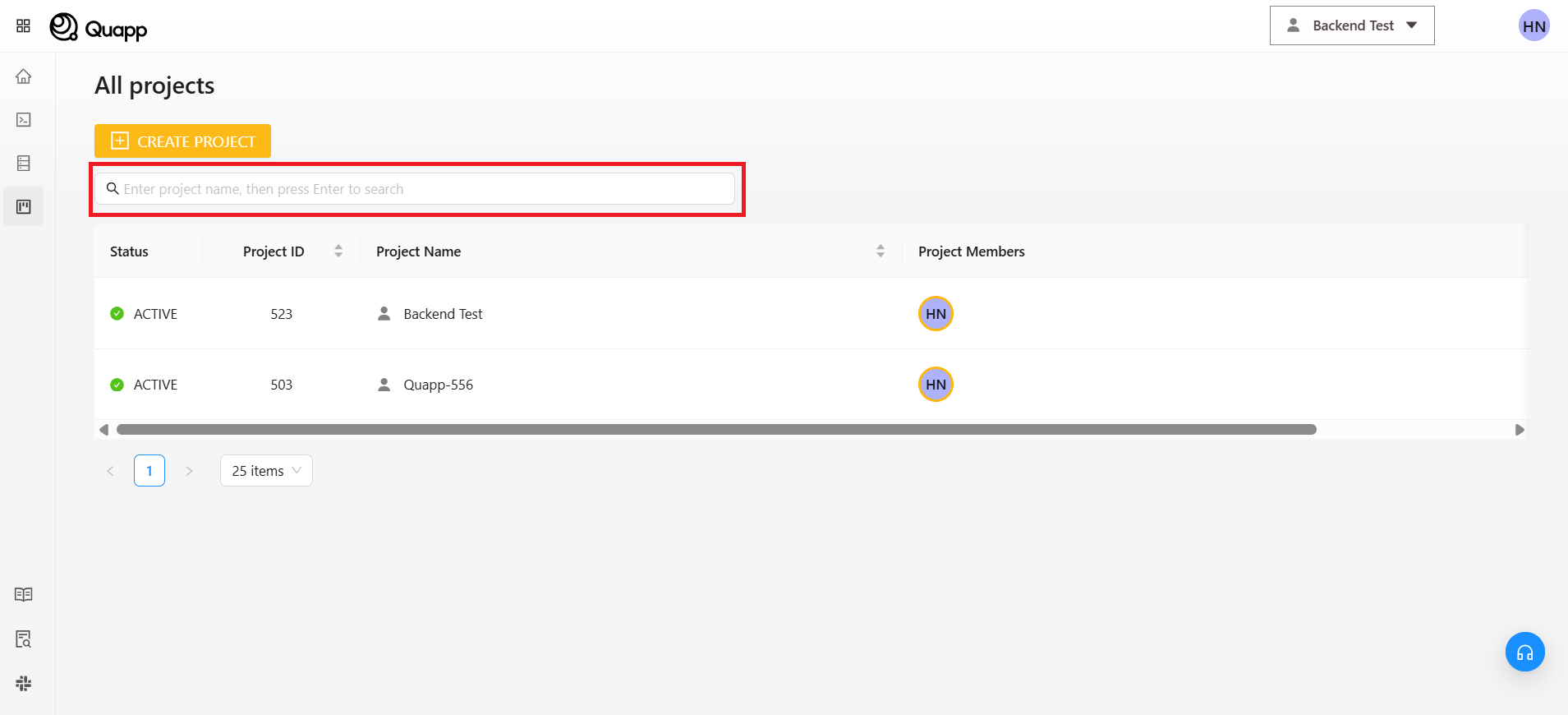
6. Search for Projects
Use the search bar to find a project by entering its name.