Delete Function
You can delete a function when it is no longer needed. The platform provides two convenient ways to remove a function: from the Functions list or directly from the Function Details page.
ℹ️ Deleting a function is a soft delete. The function is moved to the Function Trash, where it can be restored. It is only removed for good when someone purges it from the trash. A deleted function stays in the trash for 30 days, then is purged automatically. Restore it before then if you want to keep it — see Function Trash.
Deleting a project works differently: it has its own Recycle Bin, also with a 30-day restore window, and it removes the functions and jobs inside the project.
Deleting a Function from the Functions List
The Functions page displays all functions in the current project.
Locate the function you want to remove. In the Actions column on the right side of the list, click the Delete button next to the function name.
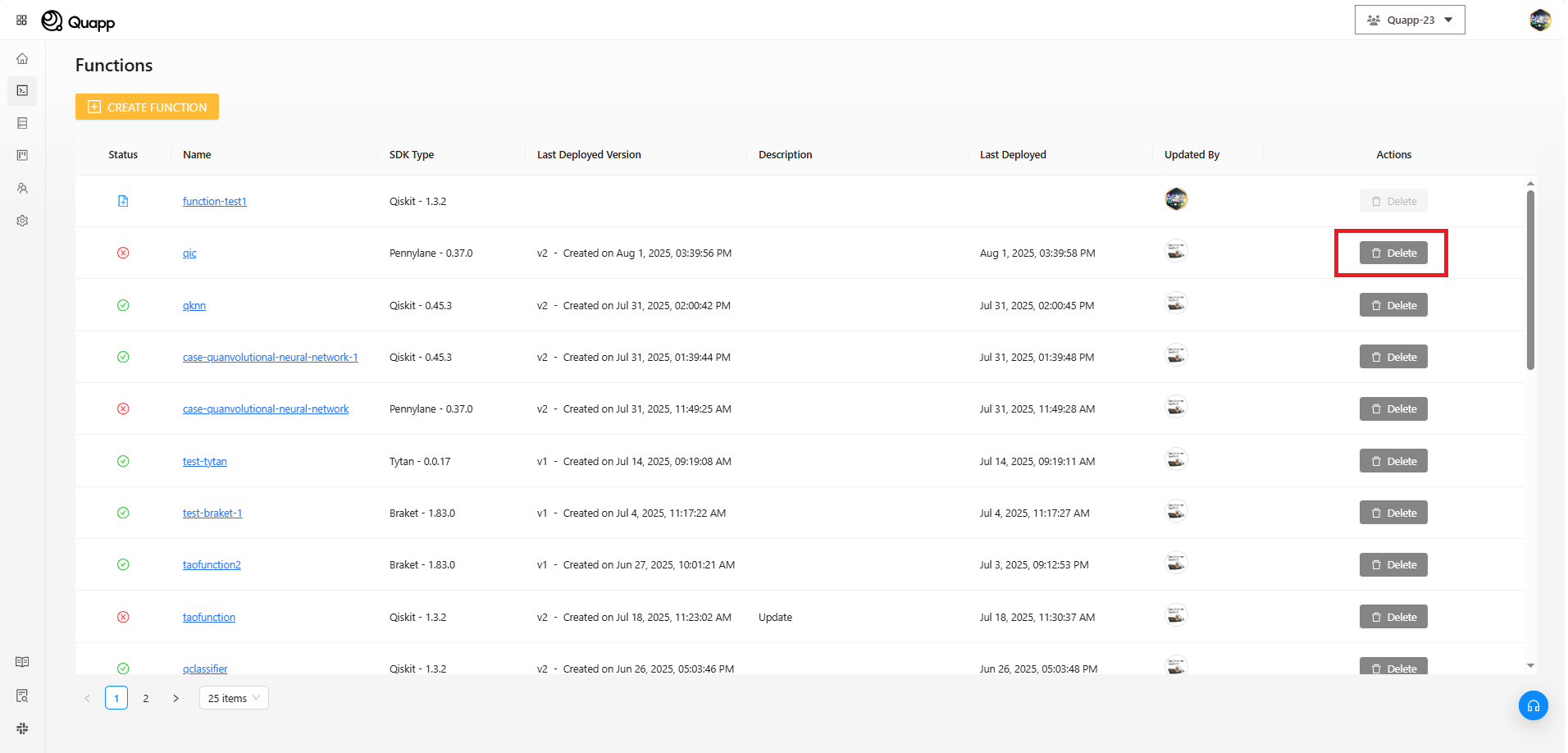
This action opens a confirmation dialog to prevent accidental deletion.
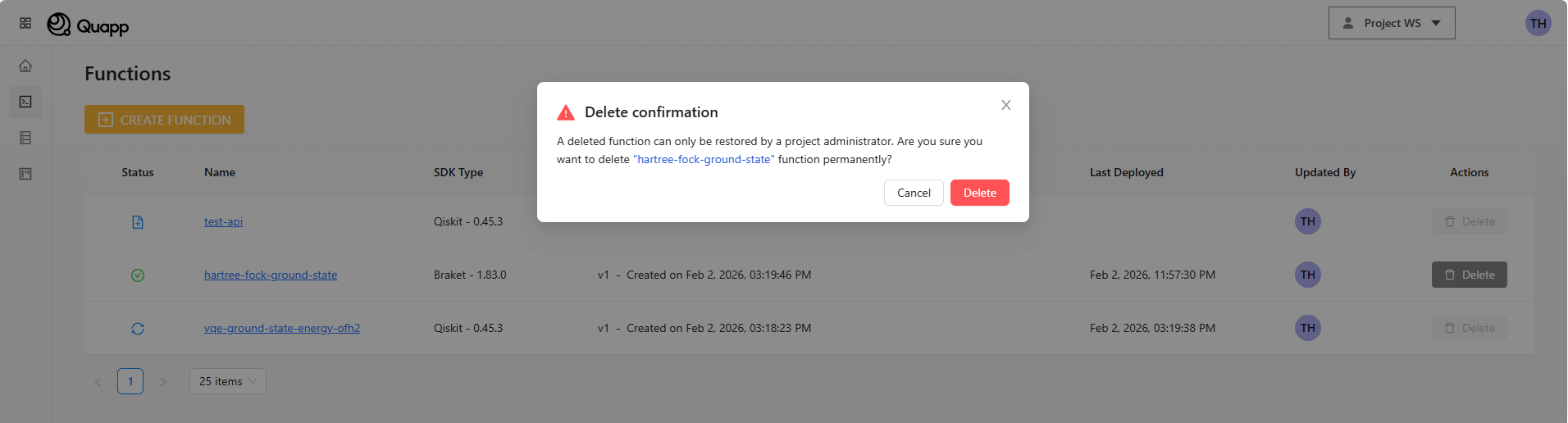
If you are certain, click Delete to confirm. If you change your mind, click Cancel and the function will remain unchanged.
Deleting a Function from the Function Details Page
You can also delete a function while viewing its details.
Open the function you want to remove to access the Function Details page. At the top of the page, click the Delete button.
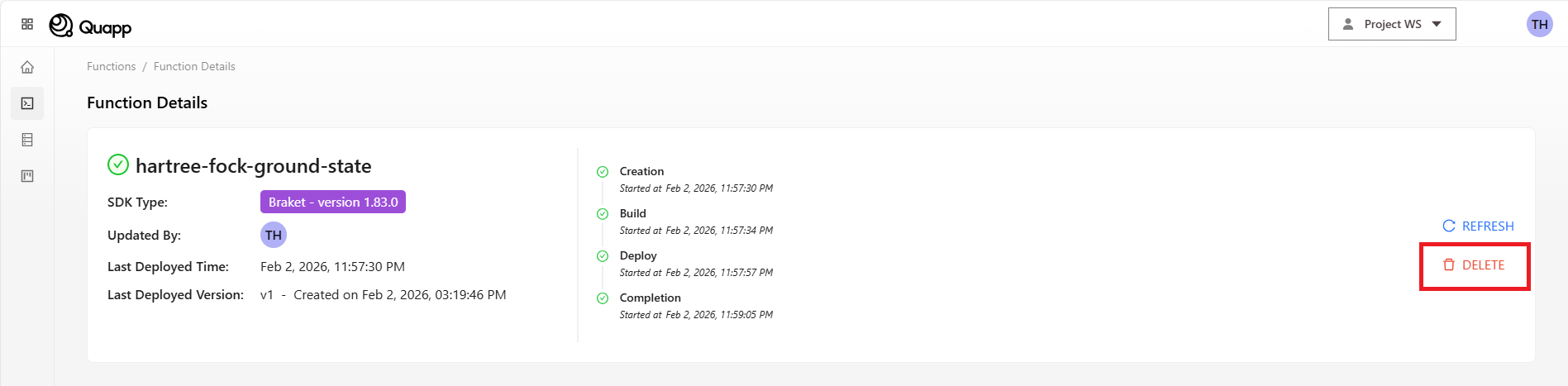
A confirmation dialog appears. Click Delete to proceed with the removal, or Cancel to exit without deleting the function.
After Deletion
Once the deletion is confirmed:
- The function no longer appears in the Functions list
- The function cannot be deployed or invoked anymore
- The function is moved to the Function Trash, where it can be restored
Restoring a Deleted Function
Deleted functions are kept in the Function Trash, reachable from Project Settings → Function Trash.
From that page you can:
- Restore the function, which returns it to the Functions list
- Purge the function, which deletes it permanently and cannot be undone
For details, see Function Trash.
Things to Keep in Mind
- Only users with sufficient permissions can delete a function
- If a function has running jobs, let them finish before deleting it to avoid orphaned jobs
- Consider reviewing related jobs or results before removal
- Purging a function from the trash is permanent — double-check before you purge